AR Visibility & Invoice Tracking
Quick Receivable brings accounts, invoices, and aging balances together in one place, so your team has a clear view of what each customer owes before taking collection action.
The All Accounts List
The All Accounts list rolls up every customer into one sortable table.
- Sort by past due, credit limit, or Priority Score to find where to focus first.
- A Priority Score is shown for every account, so your team always knows where to focus.
- Credit limit and total past due are shown side by side for every customer.
- Aging balances are grouped by 30, 60, 90, and 120+ days past due.
The Account Record
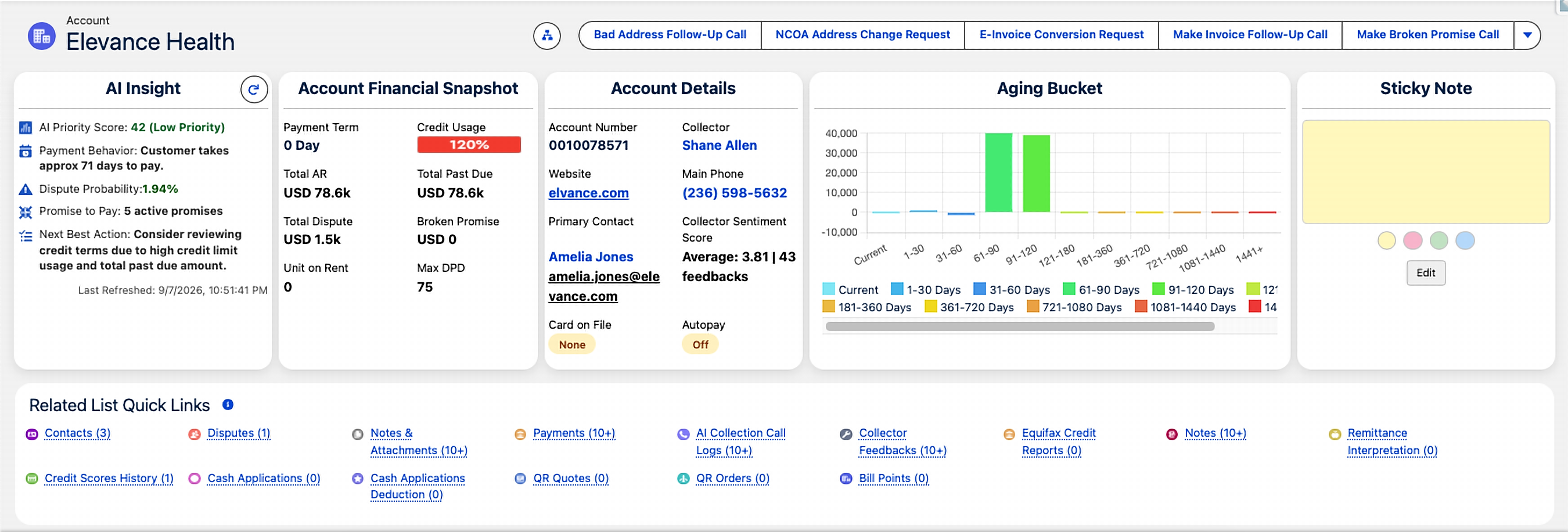
Open any account to see the numbers that matter first, without digging through related lists.
- A named Collector is assigned to the account, so ownership is always clear.
- A sticky note gives quick, shared context the whole team can see.
- Related invoices, payments, and disputes are all connected to the account.
Invoice Management & Tracking
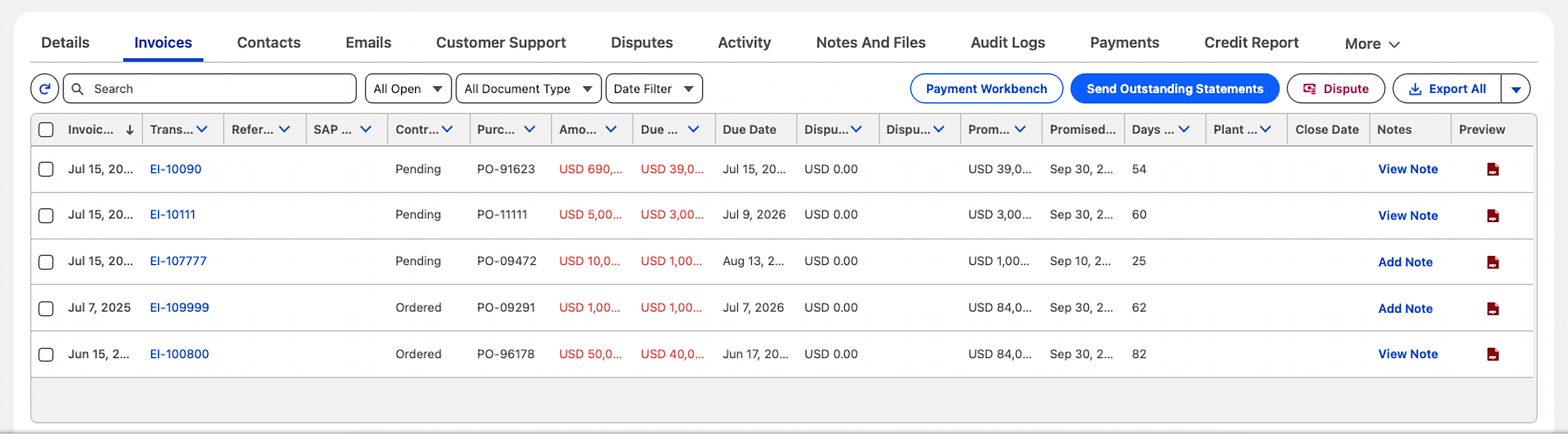
Each invoice shows the details your AR team needs to decide what action to take next.
- Send an outstanding statement straight from the invoice list.
- Flag an invoice as disputed in one click.
- Apply a payment from the same screen using Payment Workbench.
Accounts Receivable Aging
See current and overdue balances by aging bucket, from current invoices to long-overdue accounts. Use days past due to quickly find the accounts and invoices that need attention.
- An account-level aging chart, from Current out to 1441+ days past due.
- Portfolio-level aging columns by 30, 60, 90, and 120+ days on the All Accounts list.
- An Aging Bucket Current report showing every account's balance by bucket, ready out of the box.
Where this fits in: aging and invoice data feed directly into Collections & Dunning and the Management Dashboard.
Want a walkthrough of your AR data in Quick Receivable?
Reach us at info@quickreceivable.com or through our Contact Us page, or book a free demo.
