AI Features in Quick Receivable
Quick Receivable uses AI to help your AR team manage everyday collection tasks, from drafting customer emails and analyzing account risk to classifying incoming messages and handling collection calls. By automating repetitive work, your team can focus on the accounts that actually need attention.
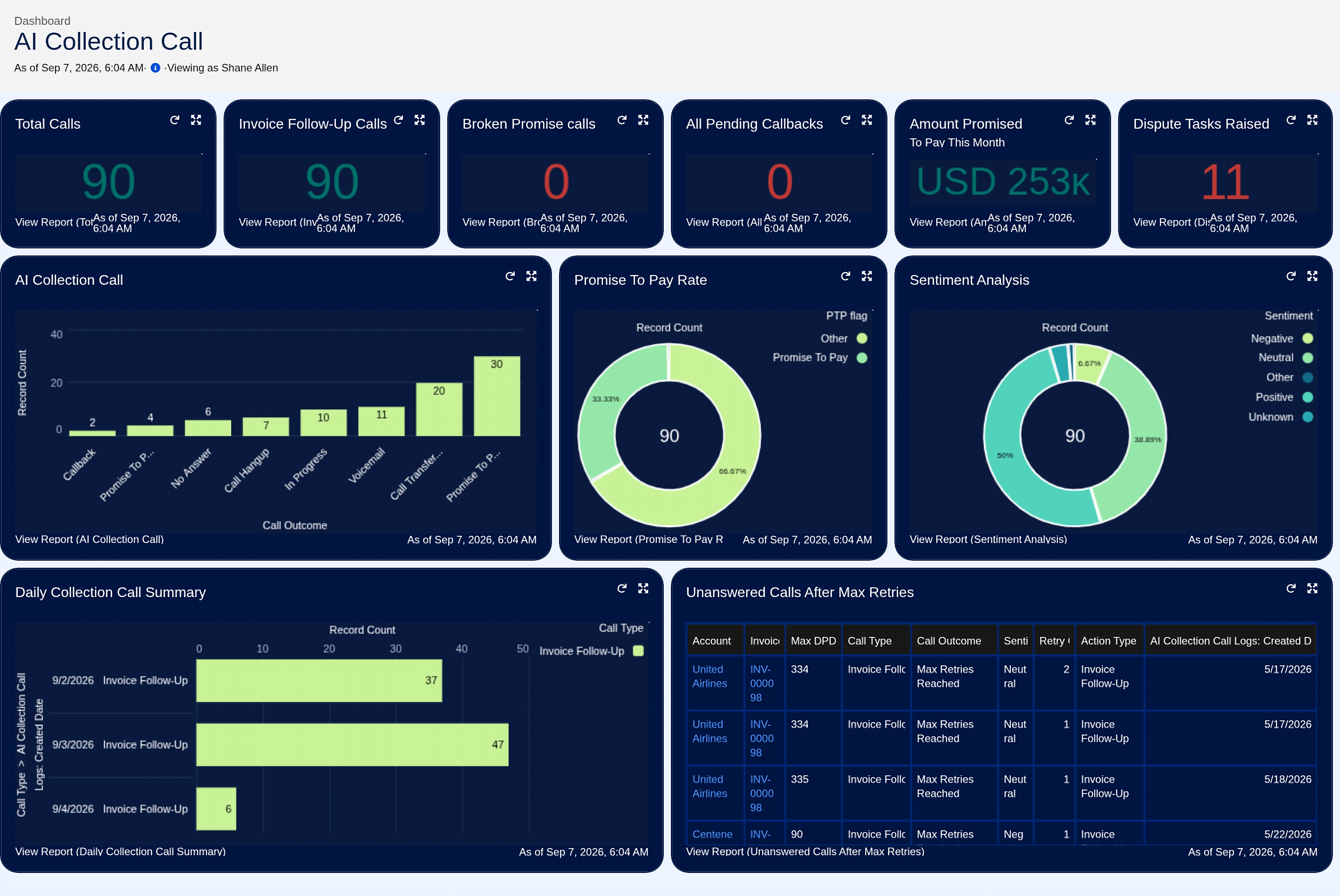
AI Collection Calls
Some customers don't respond to email. Quick Receivable can place a collection call directly from the account.
- A Broken Promise Call, started when a promised payment date passes without payment.
- An Invoice Follow-Up Call, used for a routine follow-up on a past-due invoice.
- Every call logs its outcome and sentiment.
- A dashboard tracks total calls, promise-to-pay rate, and calls still unanswered after several tries.
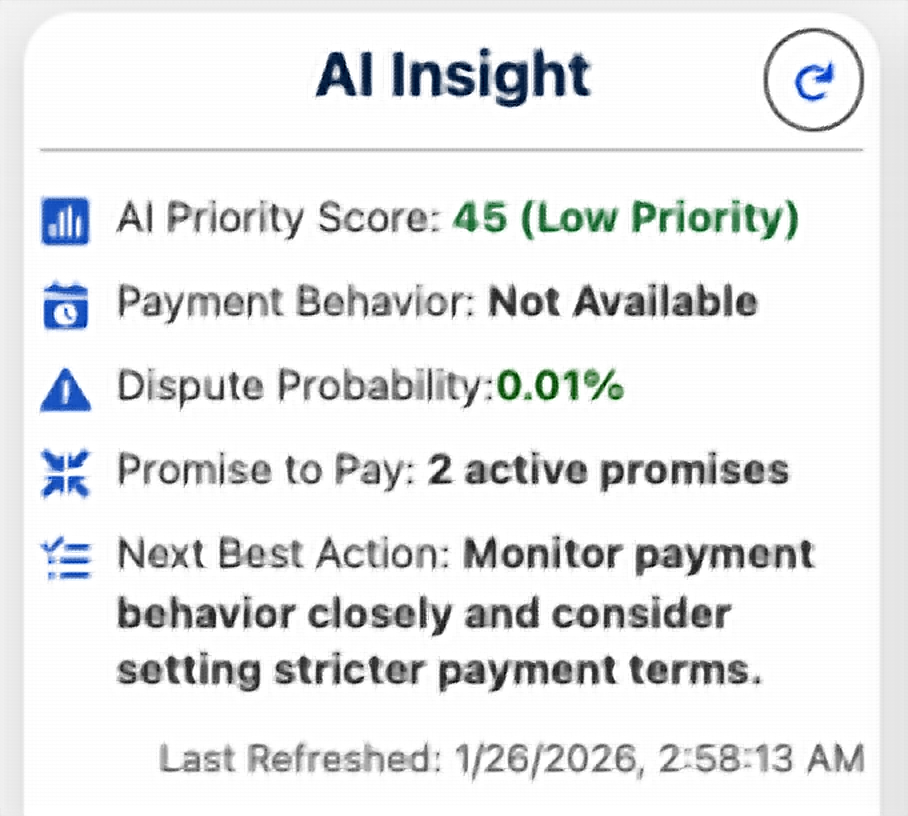
AI Insight: Financial Risk Analysis Assistant
AI Insight reviews overdue balances, disputes, and credit use. It predicts dispute risk and assigns an AI Priority Score. It also recommends the next best action for each account.
- A weighted AI Priority Score for every account.
- Dispute probability, predicted from account history.
- A recommended next best action, refreshed on demand.
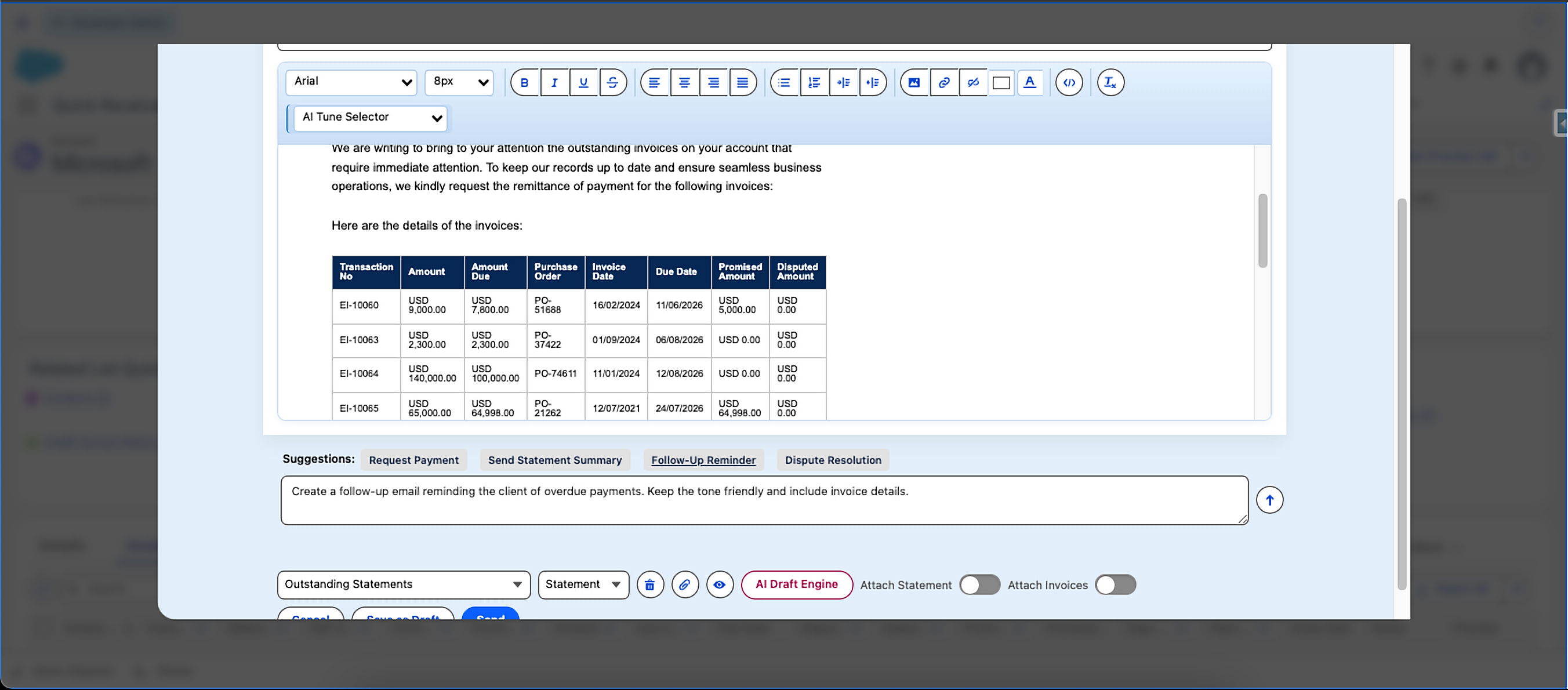
AI Draft Engine
Create a clear, professional customer email from a short prompt. When invoice details are available, the AI Draft Engine formats them into a clean table with a total due amount, so your team can review a complete draft before sending.
- One-click suggestions for common emails, like a payment request or a statement summary.
- Invoice line items and total due formatted automatically into the draft.
- A short prompt is all it takes to redraft the email a different way.
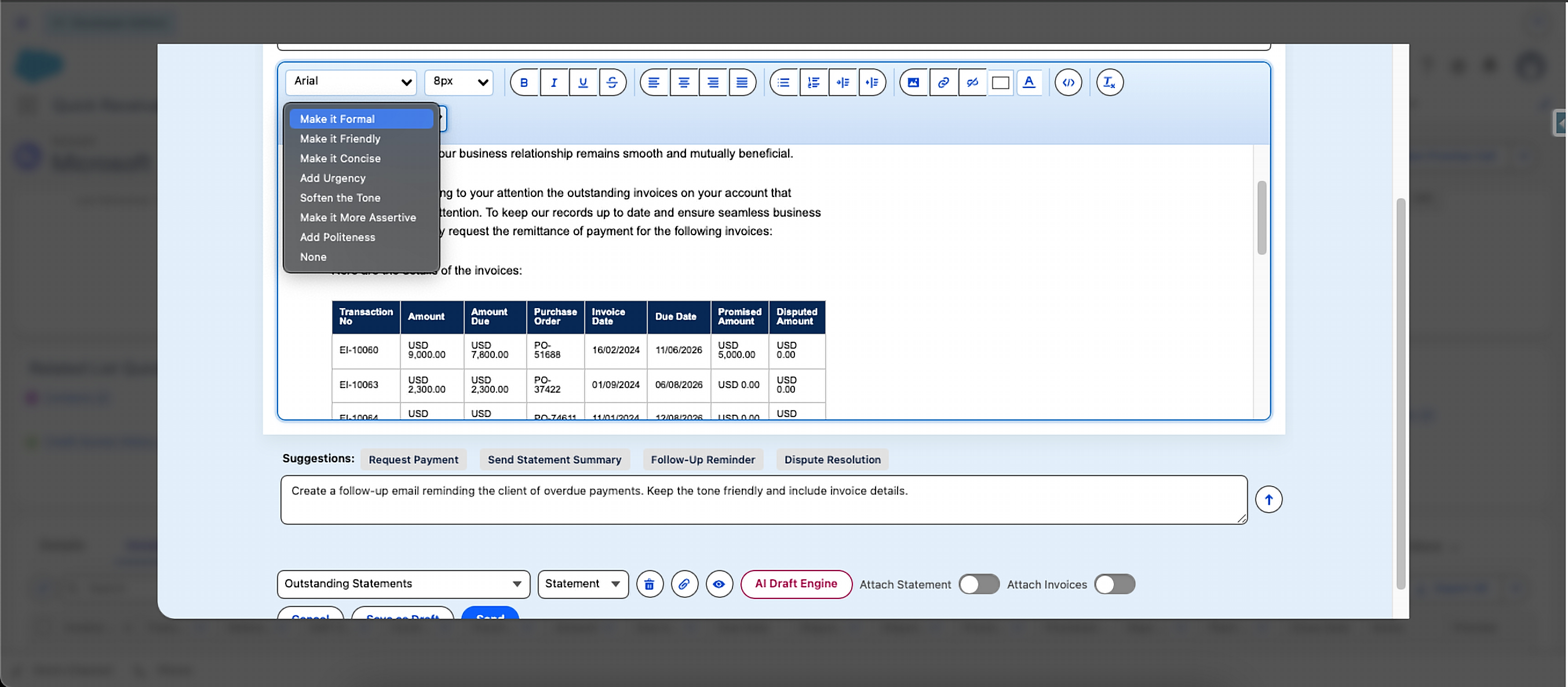
AI Fine-Tuning for Tone Adjustment
Adjust the tone of a drafted email without changing its main message. Highlight a section and choose how you want it to sound.
Email Classification
Quick Receivable automatically reads and classifies incoming AR emails. It can identify the account, invoice number, payment status, and email type, then trigger the related follow-up action.
- An Auto Promise to Pay Log is created straight from a classified email.
- An Auto Follow-up Task is created based on category, like "out of office," "payment," or "other."
- Every email is placed in the right category automatically.
Getting Started with AI Features
AI features are configured as part of setup. See Step 7 of Getting Started to turn them on for your org.
Want to see AI features in action?
Reach us at info@quickreceivable.com or through our Contact Us page, or book a free demo for a walkthrough.
