DSO Reduction Software That Works Inside Salesforce
Quick Receivable is DSO reduction software that cuts the delays pushing days sales outstanding up. Late first reminders, forgotten promises, disputes nobody owns, payments sitting unapplied. It runs inside Salesforce, so collectors work the same customer records as sales and service.
- Live in about 4 weeks
- 15-day free trial
- Rated 4.8 on G2
- 100% native to Salesforce
Cut that many days and roughly reaches your bank sooner. For trends over time, use the full DSO calculator.
What drives high days sales outstanding (DSO)
Days sales outstanding rarely climbs because customers refuse to pay. It climbs because of six small gaps in the AR process. Good DSO reduction software closes each one. Here is how Quick Receivable does it.

First contact comes after the due date
Promises to pay slip quietly
Disputes sit in someone's inbox
Payments arrive but stay unapplied
Collectors work the wrong accounts
Slow payers get more credit
Collections automation that starts before the due date
Consistent follow-up lowers DSO more than tougher emails. Automated payment reminders move each invoice through five stages on their own.
- Before the due date
Early reminder
A friendly heads-up before the invoice is late
- On the due date
Due reminder
A short nudge on the day payment is due
- Once payment is late
Past-due reminder
Firmer tone after the due date passes
- End of the cycle
Final notice
The last step in the standard sequence
- When a promise is missed
Broken-promise follow-up
Sent when a promised date passes unpaid
Your team controls the tone. The system controls the timing.
- AR Admins set the wording, timing, and tone of each dunning stage
- Customer replies land in one shared AR inbox, sorted by type
- A promise made in an email is logged without retyping
- Reminders pause on disputed invoices
How faster cash application lowers DSO
Unapplied cash makes DSO look worse than it is. The invoice stays open, AR stays high, and someone may chase a customer who already paid.
Sample data
Remittance read for you
Google Document AI pulls invoice numbers, amounts, and dates from remittance advice.
Paid status before follow-up
Stripe payment activity shows on the account, so collectors skip invoices already paid.
Ledger stays in step
Every match keeps a trail to its Cash Receipt, and cash application results sync back to your ERP.
DSO tracking inside Salesforce
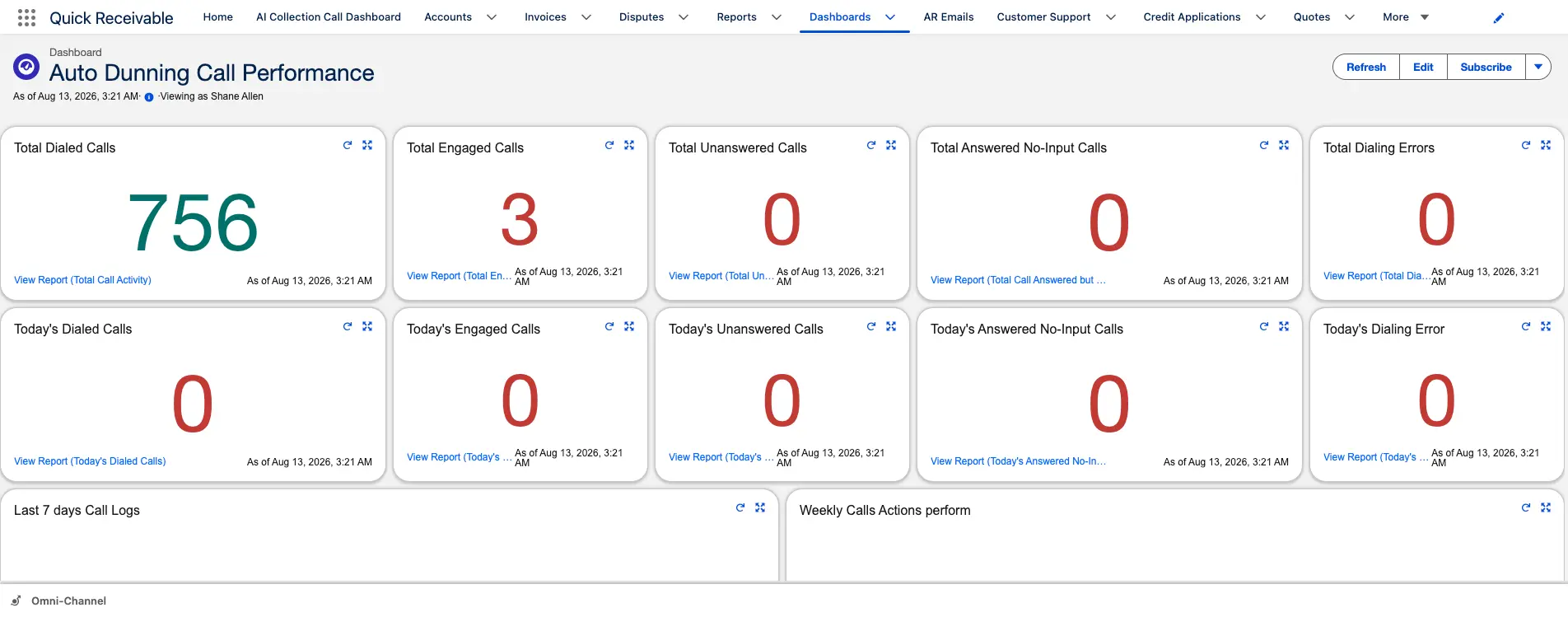
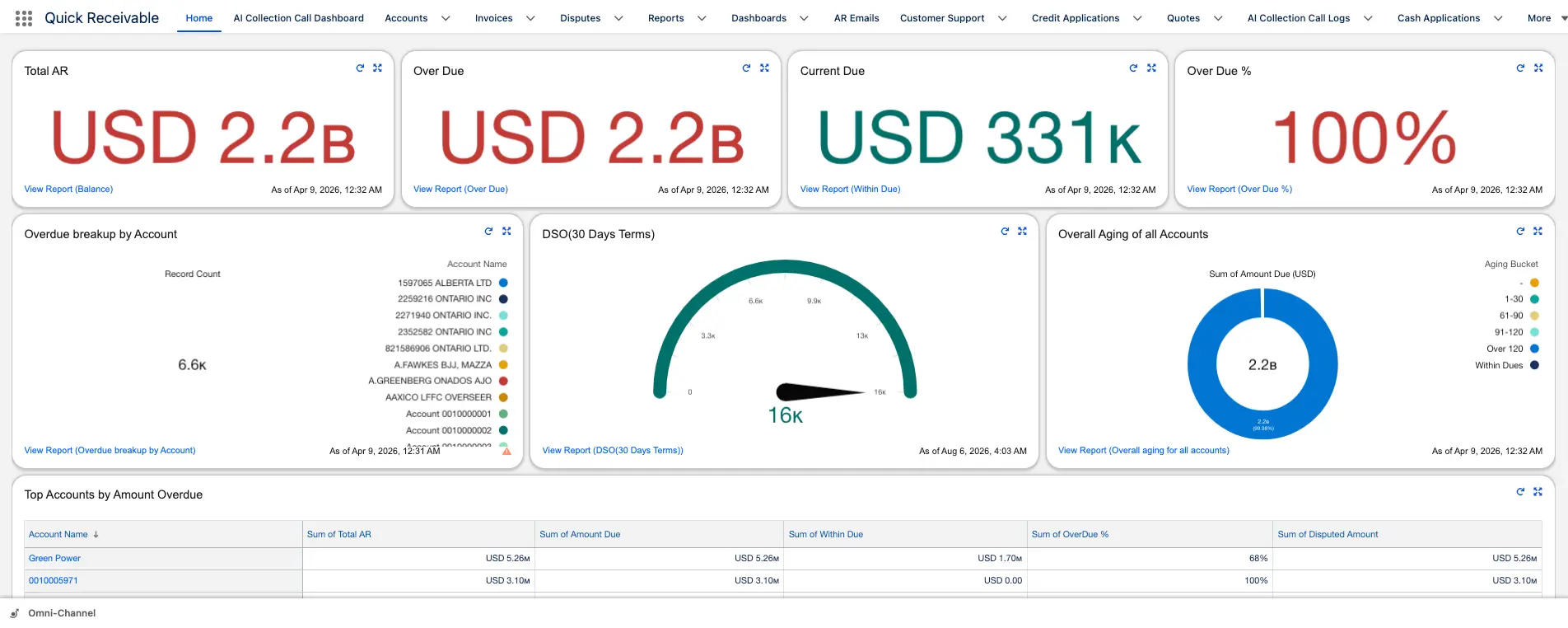
The accounts receivable dashboard puts DSO next to the numbers that move it. No export, no waiting for month end.
Data from SAP or QuickBooks syncs on a schedule you set, often several times a day, so you see DSO move as collections improve.
Is this DSO reduction software right for your team?
Software helps you reduce DSO by shortening the delays you control. It can't change agreed terms or fix billing errors upstream.
A strong fit if
- Your customer data lives in Salesforce, or you want it to
- You sell B2B on terms across hundreds of accounts
- Follow-up depends on collectors remembering dates
- Disputes and unapplied cash keep balances open
Look elsewhere if
- Customers need to pay through a portal or payment link
- You want SMS payment reminders
- You need AR forecasting or predicted payment dates
- You send a handful of invoices a month
See how much DSO you can reduce
Bring a recent aging report. In 30 minutes we walk through it in a live Salesforce org and show which delays Quick Receivable would close first.
Book a free demo- Review your current DSO and the aging buckets driving it
- Set up a reminder cycle that matches your payment terms
- Log a promise and a dispute on a sample account
- Watch DSO, aging, and collector results on the Management Dashboard
