B2B Debt Collection Software Built Inside Salesforce

Recover overdue B2B accounts with risk-based prioritization, automated escalation, payment plan tracking, AI collection calls, and credit hold automation, all inside Salesforce.

Fortune 1000 Proven
100% Salesforce-Native
Implementation Included

What is Debt Collection Software?

Debt collection software helps businesses manage and recover overdue customer balances. It brings overdue accounts, collection activity, payment promises, risk data, and recovery actions into one system.

For B2B finance teams, the software can automate follow-ups, prioritize accounts by recovery risk, track payment arrangements, and escalate accounts that remain unpaid.

Quick Receivable adds these debt recovery workflows directly to Salesforce, so your AR, credit, collections, and customer data stay in one system.

Where Debt Collection Fits in Accounts Receivable

Debt collection is usually the later stage of the accounts receivable process. A typical B2B recovery path looks like this:

01
Invoice due
02
Payment reminder
03
Dunning
04
AR collections
05
Debt recovery
06
Write-off or external agency

Earlier stages focus on getting invoices paid on time. Debt recovery focuses on accounts that remain unpaid after normal collection efforts.

SALESFORCE-NATIVE

With Quick Receivable, these stages can run in the same Salesforce org. Your team can move an account from collections to debt recovery without moving customer data between systems.

Who Uses B2B Debt Collection Software?

Debt collection software is useful for finance teams that manage a large number of overdue B2B accounts or high-value customer balances. Quick Receivable is designed for:

hero-shape
  • Accounts receivable teams
  • Credit and collections teams
  • Enterprise finance teams
  • B2B companies with high-value overdue accounts
  • Salesforce customers managing AR in Salesforce
  • Teams looking to reduce manual recovery work
  • Companies that want to manage more recovery work internally
Features

Debt Collection Software Features

Manage overdue B2B accounts from one Salesforce-native workspace. Quick Receivable combines recovery automation, risk scoring, credit controls, and payment tracking.

hero-shape
Voice Follow-Up

AI Collection Calls for Overdue Accounts

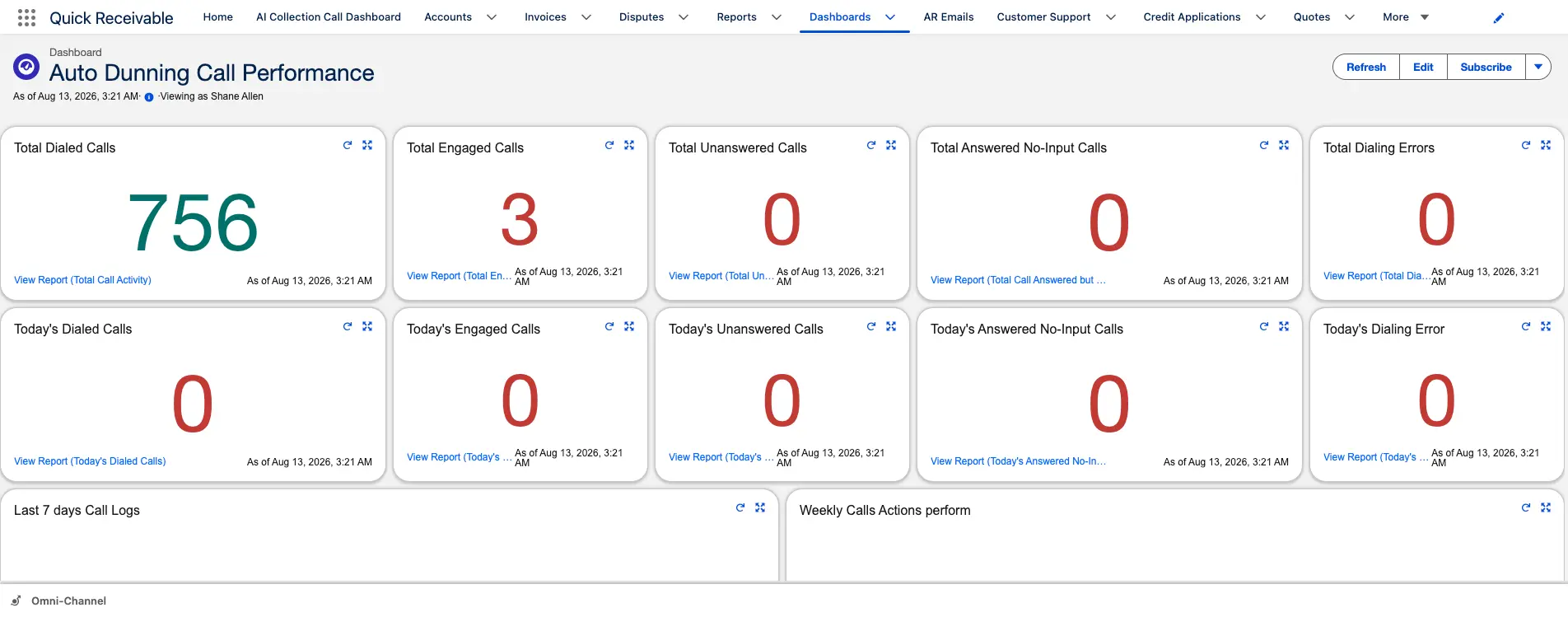
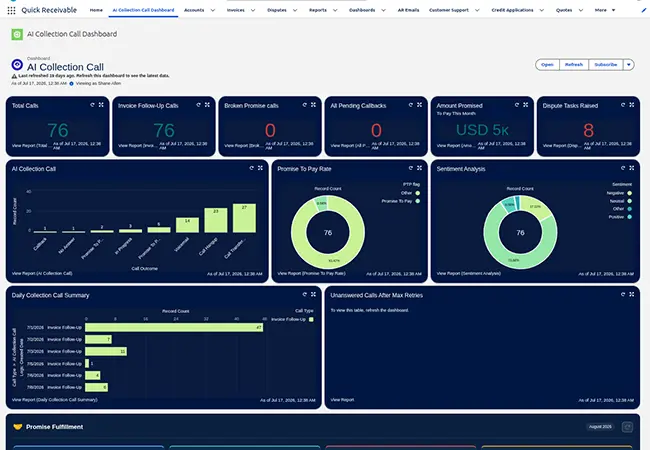
AI collection calls automate routine voice follow-up for overdue B2B accounts. Calls can follow your approved recovery process and record the outcome on the Salesforce account. Use AI calls for routine follow-up, while sending complex cases to your collections team.

  • Automated voice follow-up for routine overdue accounts
  • Broken promise call when a payment date passes unpaid
  • Call outcome recorded on the account without manual logging
  • Dashboard tracks calls, promise-to-pay rate, and unanswered calls
Promise-to-pay tracking and broken promise total in Quick Receivable
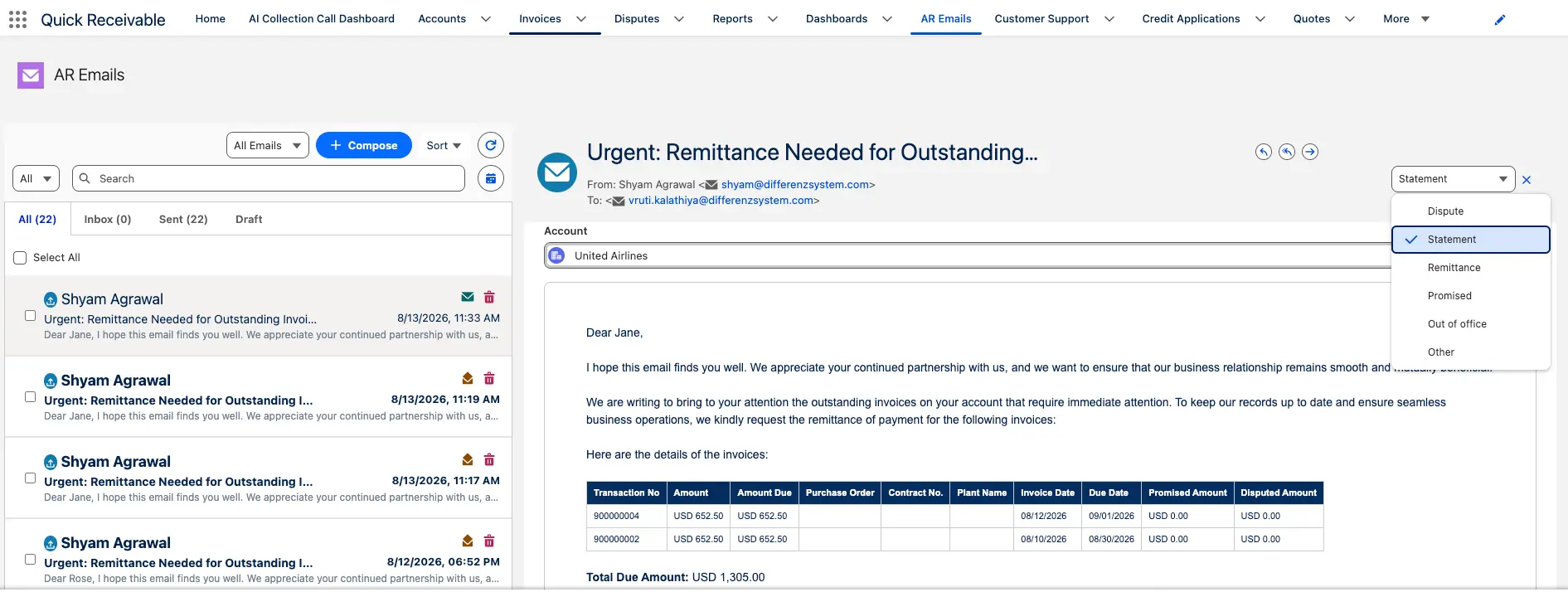
Email Dunning

Automate collection emails and keep every customer conversation in one place.

Review payment behavior, overdue balances, disputes, credit risk, and account history to identify which accounts need attention. Quick Receivable combines AR email dunning with risk-based insights to help your team prioritize recovery work and recommend the next action based on each account’s risk and payment history.

  • Shared AR inbox for collection emails
  • Categories for statements, disputes, remittances, promises, invoice requests, and PO updates
  • Ready-to-use templates for reminders, final notices, broken promises, and disputes
  • Filter by sender, subject, or category
  • Set dunning stages based on the invoice cycle
  • Pause reminders while an invoice is under dispute
  • Keep emails linked to the Salesforce account and invoice
AR Emails
Payment Reminder

Send the right reminder at the right time.

Quick Receivable follows each invoice with AR Payment Reminder workflows, from pre-due reminders through overdue follow-up and missed payment promises.

  • Early, due-date, past-due, and final reminders
  • Broken-promise follow-up when payment is missed
  • Record promised amount and date on the invoice
  • Automatically track broken promises
  • Keep payment and collection history on the account
  • Use AI collection calls when customers do not respond to email
Dunning
Payment Commitments

Payment Promise and Payment Plan Tracking

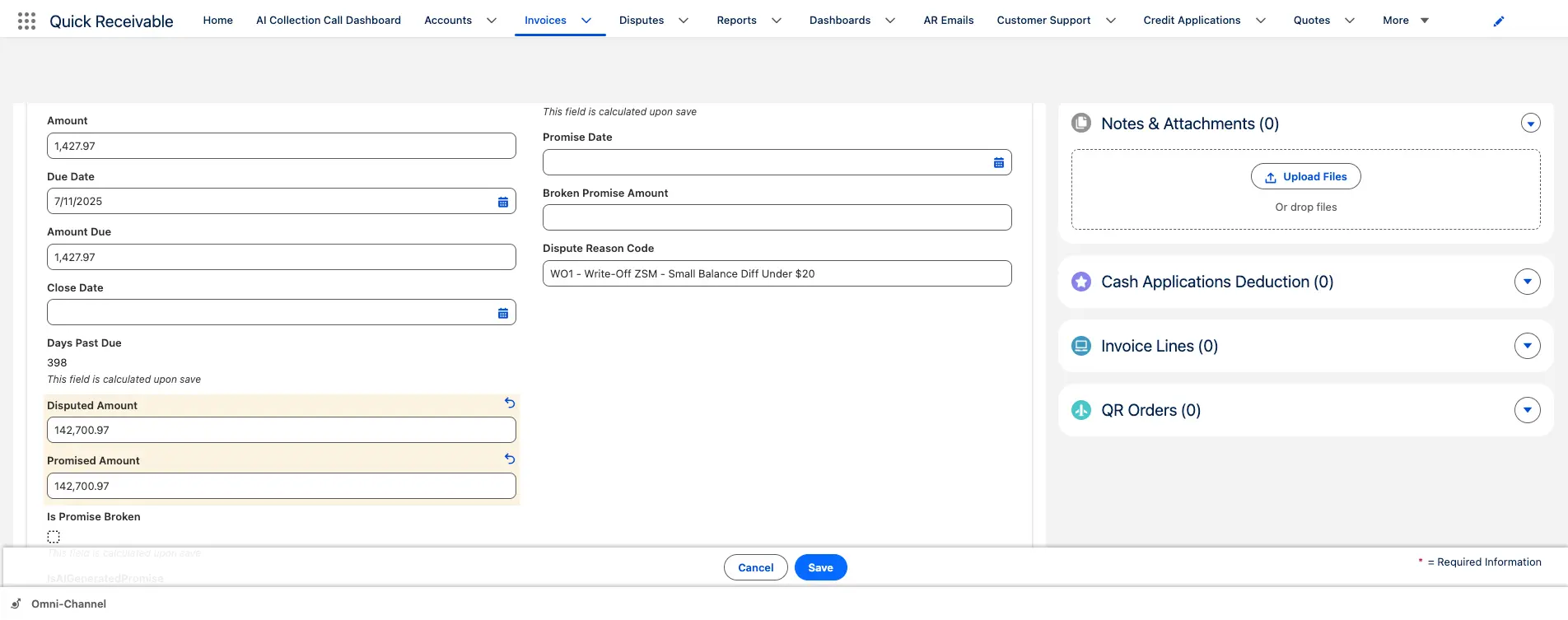
Track every promise to pay, payment arrangement, due date, and payment received on the customer account. If a promised payment is missed, the account can automatically move to the next recovery action.

  • Promise to pay and payment plan recorded in Salesforce
  • Missed commitments trigger the next recovery step
  • Full payment history connected to the account record
  • Applied amount and related invoice visible for every payment
Promise to Pay
Risk-Based Collection

Focus your team on accounts that need attention most.

  • Priority score for every past-due account
  • Use payment history, aging, credit risk, disputes, and broken promises
  • View credit limit and past-due balance together
  • Track 30, 60, 90, and 120+ day aging
  • Rank accounts by recovery potential
  • Track payment promises and missed commitments
  • Recommend the next recovery action
  • Escalate based on age, balance, risk, or missed payment
  • Keep risk, payments, disputes, and collection activity in Salesforce
Configurable dunning stages in Quick Receivable

Automated Collection Escalation

Start the next recovery action when an account reaches your rules for age, balance, risk, or a missed payment, so overdue accounts keep moving without manual tracking.

Credit Hold Automation

Apply credit hold rules when an account reaches a defined risk or overdue threshold, and notify the right teams before additional credit exposure builds.

Overdue Portfolio Management

See overdue balances, aging, risk, payment plans, recovery status, and collector activity in one view of the full portfolio.

Recovery Reporting and Audit Trail

Track recovery activity, outcomes, promises, escalations, and write-off decisions with a complete history inside Salesforce.

Automated Debt Collection Workflow

Build recovery rules around the way your finance team works.

Overdue Risk score Priority Outreach Payment promise Escalation Credit hold Resolution

Each step can be tracked on the Salesforce account record, giving collectors and managers one view of the recovery process.

Process

How Debt Collection Software Works

hero-shape
01

Identify Overdue Accounts

When an account reaches your recovery threshold, Quick Receivable flags it for the next collection workflow.

02

Prioritize Recovery Work

Score accounts using overdue balance, payment history, disputes, credit risk, and other recovery signals.

03

Automate Recovery Actions

Run approved emails, AI calls, payment follow-ups, escalation rules, and credit hold actions based on account status.

04

Track the Outcome

Track payment, payment plans, continued delinquency, credit holds, write-offs, and other recovery outcomes in Salesforce.

Built for Enterprise B2B Debt Recovery

B2B debt collection is different from consumer debt collection. Enterprise AR teams may manage large invoices, complex customer relationships, disputes, credit limits, payment terms, and multiple invoices per account.

Quick Receivable keeps this information connected inside Salesforce so credit and collections teams can make recovery decisions with the full customer context, including deductions and short payments.

hero-shape

Salesforce-native

Manage debt recovery in the Salesforce org your team already uses.

One AR record

Keep invoices, payments, credit data, disputes, and collection activity connected.

Automated recovery

Reduce manual follow-up with rules-based workflows and AI-assisted actions.

Enterprise B2B focus

Built for complex customer accounts and high-value receivables.

Production proven

$3B+ in annual AR managed in production inside Salesforce.

Model the impact

Estimate recovery and cash flow gains with the AR ROI calculator.

Why Automate Debt Recovery Before Sending Accounts to an Agency?

Some overdue B2B accounts still have a path to payment after standard collections fail. Sending every account to an outside agency can reduce your control over the customer relationship and add recovery fees.

An internal debt recovery workflow gives your team a structured way to decide which accounts need more outreach, a payment plan, a credit hold, or an external recovery process.

Quick Receivable helps your team manage these steps inside Salesforce, with the account history, invoices, payments, credit data, and collection activity in one place.

hero-shape
Without a structured debt recovery process With Quick Receivable
Overdue accounts sit after dunning ends Recovery workflows start automatically
Collectors decide what to work on manually Accounts are ranked by recovery risk
Payment promises are tracked manually Payment plans are tracked in Salesforce
Credit holds require manual action Credit hold rules can trigger automatically
Recovery activity is spread across systems Customer and AR data stay in Salesforce
Managers rely on manual reports Live recovery dashboards show portfolio status
FAQ

Debt Collection Software Questions Answered

hero-shape

What is debt collection software?

Debt collection software helps businesses manage and recover overdue customer balances. It brings overdue accounts, collection activity, payment promises, risk data, and recovery actions into one system, so finance teams can automate follow-up, prioritize accounts by recovery risk, and escalate accounts that remain unpaid.

What is B2B debt collection software?

B2B debt collection software helps businesses recover overdue balances from other businesses. It can manage collection tasks, risk scoring, payment promises, payment plans, escalations, and recovery reporting. Quick Receivable runs these workflows inside Salesforce.

What is the difference between debt collection and debt recovery?

Debt collection is the process of contacting customers and recovering unpaid balances. Debt recovery usually refers to later-stage efforts for accounts that remain unpaid after normal collection activity. Quick Receivable supports both processes as part of the accounts receivable workflow.

How is debt collection software different from accounts receivable collections software?

AR collections software manages the active collections lifecycle for invoices in standard follow-up cycles. Debt collection software handles accounts that remain unpaid after those cycles, using escalation rules, credit risk scoring, and recovery tracking to decide how much collector effort each account should receive. Quick Receivable handles both inside the same Salesforce org.

How does automated debt collection work?

An account is flagged when it reaches your overdue threshold, scored for recovery risk, and moved through approved recovery actions such as emails, AI collection calls, payment plan follow-up, escalation, and credit holds. Each step and outcome is recorded on the Salesforce account record.

Can debt collection software track payment plans?

Yes. Quick Receivable records payment arrangements, due dates, payments received, and missed commitments on the Salesforce account. Missed payments can trigger the next recovery action.

Can debt collection software automate credit holds?

Yes. Quick Receivable can use defined overdue or risk rules to trigger credit hold workflows and notify the appropriate teams.

Does Quick Receivable's debt collection software require Salesforce?

Yes. Quick Receivable is 100% Salesforce-native and runs inside your existing Salesforce org. Your team manages debt recovery from the same interface it already uses, with customer records, invoices, payments, and credit data in one place and no external login required.

Does debt collection software replace collection agents?

No. Automation handles routine tasks and helps collectors focus on higher-value recovery work. Complex customer situations can still be managed by your collections team.

How quickly can debt collection software go live?

Quick Receivable goes live in 4 weeks, and implementation is included on every plan. Because the software is built natively inside Salesforce, there is no middleware to configure and no separate system to integrate.