01
Account prioritization
Help collectors decide which overdue accounts need attention first based on balance, aging, payment behavior, risk, and other available signals.
Prioritize overdue accounts, manage collection workflows, track promises to pay, resolve invoice disputes, and follow up with customers using AI-powered collections tools in Salesforce.
AI Collections Dashboard • Promise-to-Pay Tracking • AI Collection Calls • Dispute Management • Go Live in 4 Weeks
Accounts receivable collections software helps B2B finance teams manage overdue invoices and customer follow-up. It gives collectors a clear view of aging balances, payment history, promises to pay, disputes, and collection activity. Teams can prioritize accounts, automate routine follow-ups, track broken promises, and monitor collections performance from one place.

AR collections is the active process of managing overdue customer accounts, contacting customers, tracking payment commitments, and resolving issues that delay payment.
Dunning focuses on scheduled payment reminders and follow-up messages before and after an invoice becomes overdue.
Debt recovery usually refers to later-stage efforts to recover seriously delinquent debt, which may involve an outside collection agency or other recovery steps.
These processes can work together. Quick Receivable brings collections workflows into Salesforce and connects them with related AR processes such as payment reminders, disputes, credit, and reporting.
Without clear priorities, collectors may focus on the largest balances or the most recent requests. Other overdue accounts can sit untouched, which can increase aging and delay cash collection.
When a customer promises to pay on a specific date, the commitment needs follow-up. Spreadsheet tracking makes it easy for broken promises to get missed or checked too late.
Without a central view, managers may struggle to see collector activity, stalled accounts, broken promises, and overall collection results.
Manual emails, calls, account reviews, and status checks take time. Automating routine work gives collectors more time to focus on accounts that need direct attention.
A strong AR collections process moves from account review to customer contact, payment commitment, follow-up, dispute resolution, and reporting. Quick Receivable supports these steps in Salesforce.
Review overdue balances, aging, payment behavior, disputes, and risk signals to identify accounts that need attention first.
See invoices, payments, promises to pay, disputes, customer communications, and credit information in one place.
Send collection emails or make collection calls based on the account's status, history, and priority.
Record the promised amount and payment date so the commitment stays connected to the invoice and account.
When a promised payment is missed, trigger the next follow-up without relying on a manual spreadsheet check.
Track the dispute owner, reason, status, and resolution while keeping collection activity aligned with the status of the invoice.
Monitor overdue AR, DSO, aging, collector activity, promises kept, broken promises, disputes, and other collection KPIs.
Give your collections team one place to prioritize accounts, manage customer follow-up, track promises to pay, handle disputes, and measure results inside Salesforce.
Every account shows total AR, overdue balance, credit limit, aging buckets, payment history, and AI Priority Score on a single screen. Use payment behavior and account risk signals to focus collectors on the accounts most likely to affect cash flow.
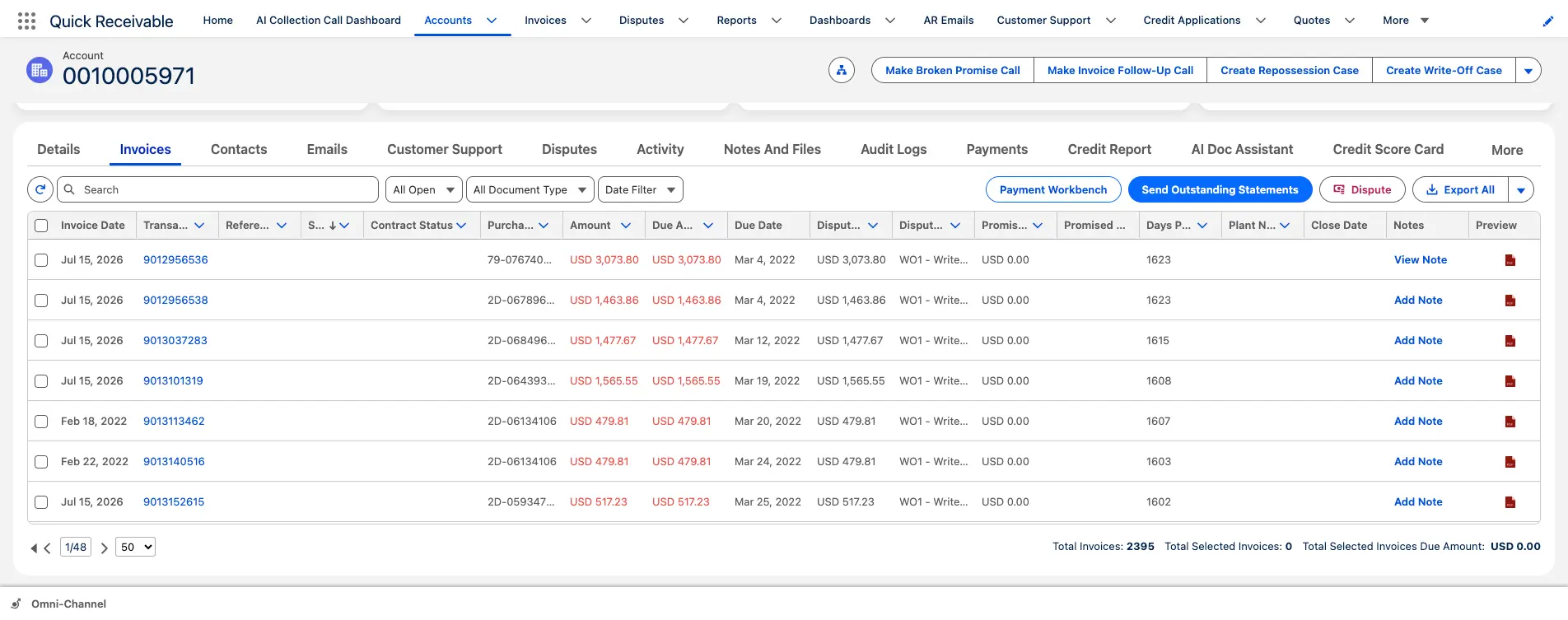
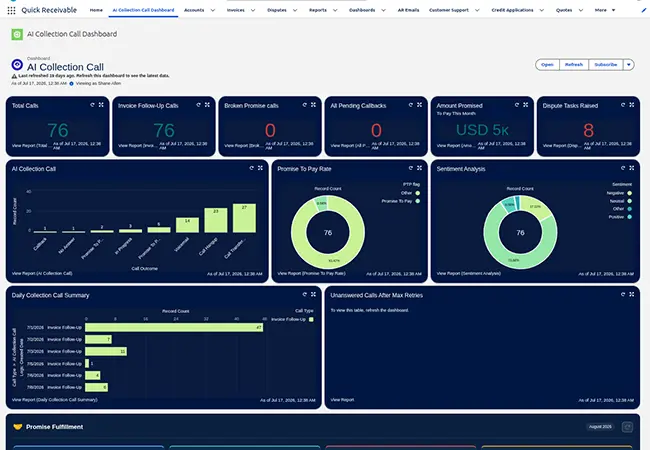
Not every customer responds to email. AI Collection Calls provide automated voice follow-up for overdue accounts from Salesforce. Use routine invoice follow-up calls and follow up on missed payment promises, while recording the call outcome and sentiment on the account.
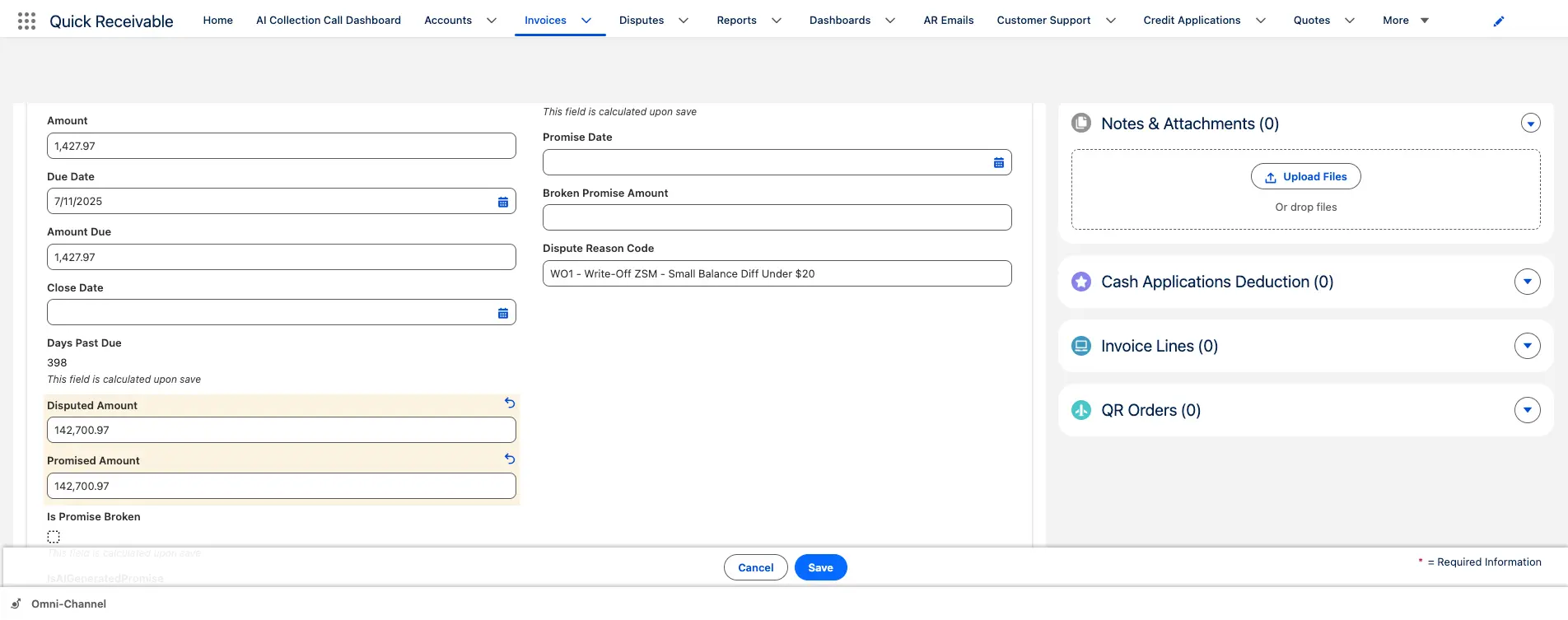
When a customer commits to a payment date, record the promised amount and date on the invoice. The promise stays connected to the account, making it easier to see missed commitments and take the next follow-up step.
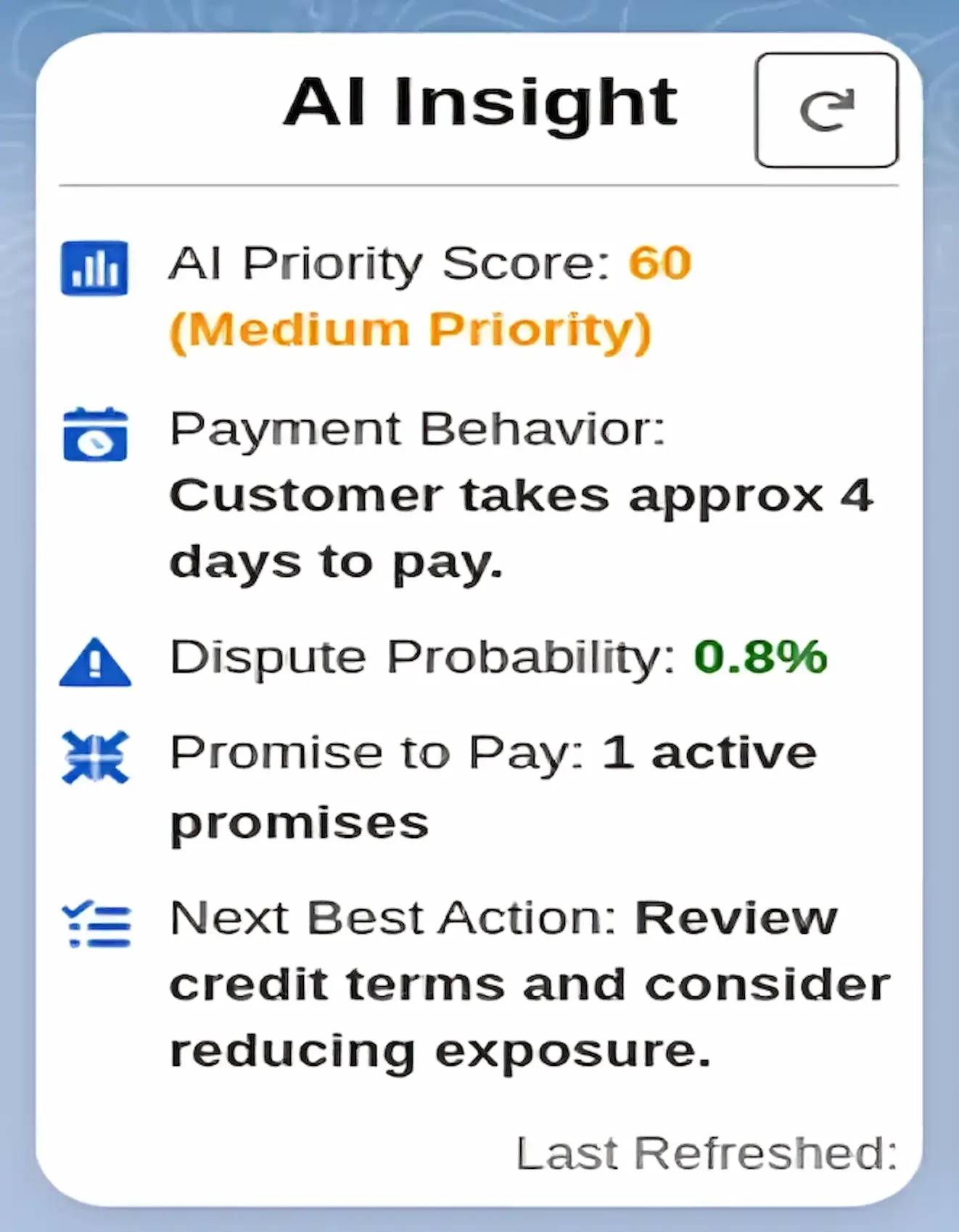
AI Insight reviews available account data such as overdue balances, payment behavior, disputes, and credit usage to assign an AI Priority Score. It can also suggest a next action, helping collectors decide where to focus without reviewing every account manually.
Keep customer emails, templates, and follow-up history connected to the account. Your team can use ready-made collection templates and quickly find past conversations without searching across personal inboxes.
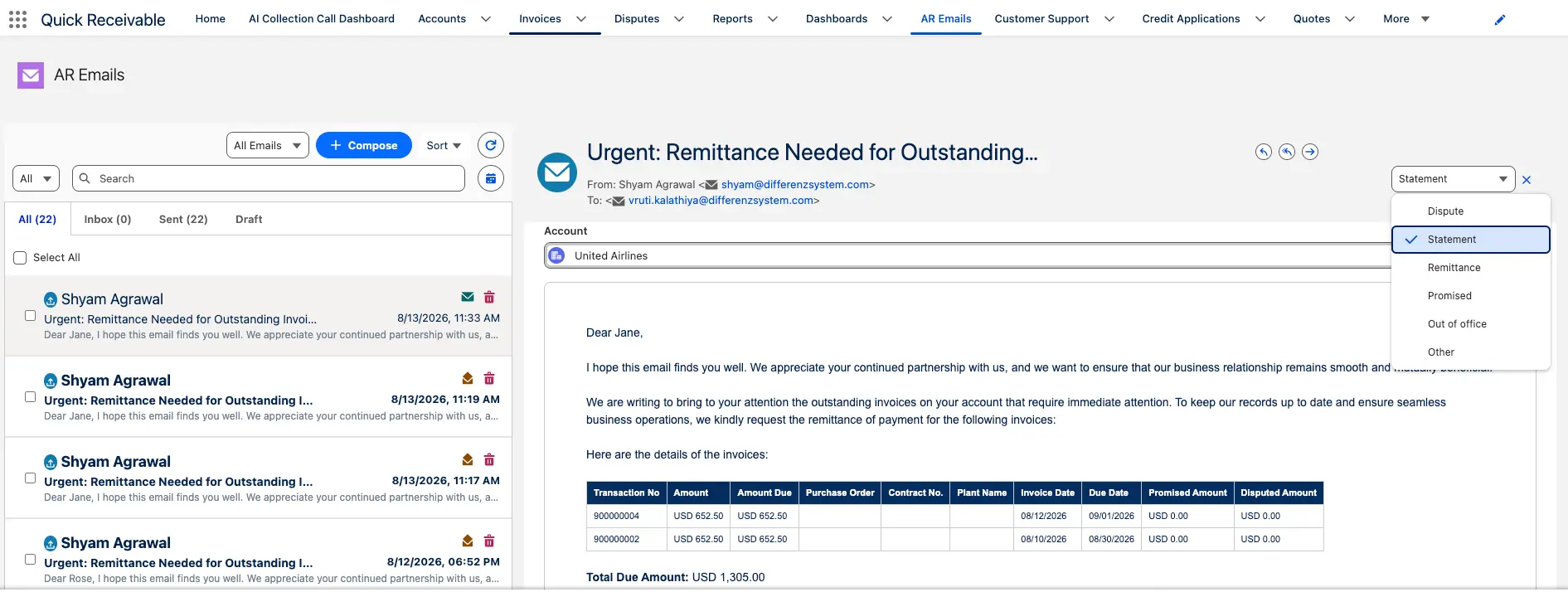
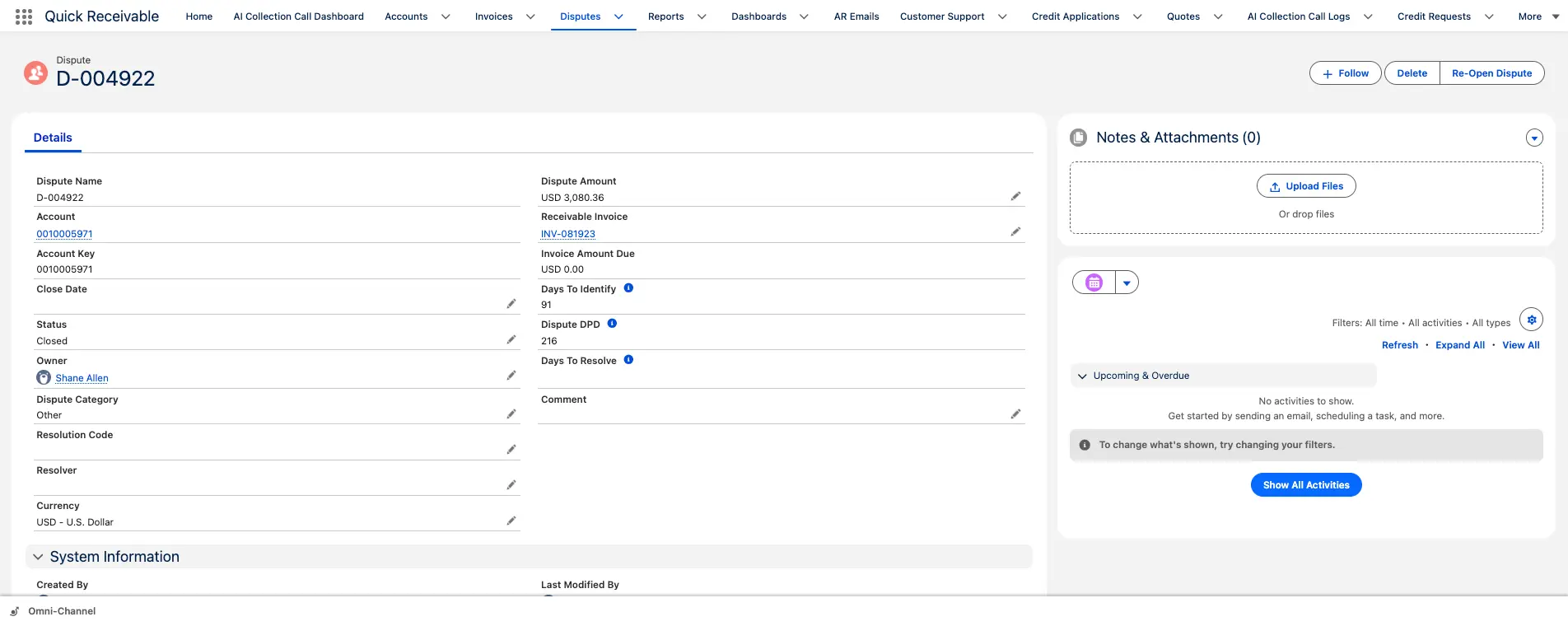
Record disputes against invoices and keep each issue visible until it is resolved. Collection reminders can pause while a dispute is open, helping your team avoid chasing an invoice that is under review. Track the dispute owner, reason, status, and resolution history in Salesforce. Short payments and customer claims can be managed through AR deductions management.
Give finance leaders a clear view of collection performance with Salesforce dashboards for the metrics that matter most.
To model the cash flow impact for your own portfolio, use the DSO calculator or the AR ROI calculator.
A structured B2B collections workflow can help finance teams reduce manual work, improve follow-up, and give managers a clearer view of overdue receivables.
Monitor DSO, overdue AR, cash flow, and collection performance.
Manage collection priorities, workloads, and portfolio performance.
Assign accounts, monitor promises, review activity, and manage escalations.
Work prioritized accounts, contact customers, record promises, and follow up on overdue balances.
Review credit exposure, payment behavior, and account risk alongside collection activity.
Manage a Salesforce-native collections workflow without adding a separate system for collectors.
The right collections platform should fit the way your finance team already works. Look for these core capabilities:
Help collectors decide which overdue accounts need attention first based on balance, aging, payment behavior, risk, and other available signals.
Give collectors and managers a clear view of current and overdue balances, aging buckets, payment history, and account activity.
Record promised payment dates and amounts and make missed commitments easy to identify.
Support email and other collection channels so teams can follow up without losing the history of customer conversations.
Keep disputed invoices visible and connect each issue to an owner, status, reason, and resolution.
Automate routine follow-ups and escalation steps while allowing collectors to handle accounts that need personal attention.
Track DSO, overdue AR, aging, promises to pay, collection effectiveness, collector activity, and other metrics.
If your team already works in Salesforce, consider whether the platform is native to Salesforce or requires another application and integration layer.
Accounts receivable collections software helps B2B finance teams manage overdue invoices and customer follow-up. It can help collectors prioritize accounts, track promises to pay, manage disputes, automate routine follow-ups, and monitor collection performance.
An accounts receivable collections team follows up on unpaid invoices, contacts customers, records payment commitments, resolves payment issues, manages disputes, and works to collect overdue balances while maintaining customer relationships.
AR collections focuses on collecting overdue customer balances and managing the follow-up process. AR automation is broader and can include payment reminders, collections, disputes, credit management, cash application, and AR reporting.
Dunning software usually manages scheduled payment reminders based on invoice dates or aging. AR collections software covers the broader process of managing overdue accounts, including customer conversations, promises to pay, disputes, escalations, and collector actions.
AI can review account data such as overdue balances, aging, payment behavior, disputes, and credit information to help prioritize collection work and suggest next steps. AI can also support customer follow-up through features such as automated collection calls.
A promise to pay is a customer's commitment to pay an outstanding balance by a specific date. Collections software records the promised amount and date and helps the team follow up when the payment is missed.
Look for features that match your collections process, such as account prioritization, AR aging, customer follow-up, promise-to-pay tracking, dispute management, collection workflows, dashboards, and reporting. If your team uses Salesforce, also consider whether the software is Salesforce-native or requires a separate system.
Common AR collections KPIs include Days Sales Outstanding (DSO), overdue AR, aging, Collection Effectiveness Index (CEI), promise-to-pay rate, broken promises, recovery rate, collector productivity, dispute resolution time, and cash collected.
Yes. Depending on the platform, collections software can track disputed invoices, dispute reasons, owners, status, communications, and resolution history. It can also pause or adjust collection follow-up while an invoice is under review.
It can automate routine follow-ups, organize collector worklists, track promises to pay, flag missed commitments, and keep collection activity connected to customer and invoice records. This reduces the need to manage collections through separate spreadsheets and email threads.
Yes. Some AR collections platforms are built directly on Salesforce, while others connect to Salesforce through an integration. A Salesforce-native platform keeps collection workflows, customer records, and AR activity in the same Salesforce environment.
Implementation time depends on your Salesforce setup, data, workflows, and integration needs. Quick Receivable is designed to go live in about four weeks, with implementation included on every plan.
Schedule a 30-minute call. We will show you prioritized collector worklists, promise-to-pay tracking, AI Collection Calls, and dispute management running in your Salesforce org.
No commitment. Implementation included. Cancel anytime.

AI-powered Accounts Receivable Automation on Salesforce, built to accelerate collections, automate workflows, and improve cash flow.